
How To Create A Constant Sum Survey on Google Forms
“Google Forms has no Constant Sum question type, and nor do most survey tools (Microsoft Forms, Typeform, SurveyMonkey, Slido or Jotform). Constant Sum, also called Points Allocation, asks people to divide a fixed budget of points across a set of options, so you see the magnitude of their preferences, not just the order. It’s best for explicit, rational trade-offs, like which features drive the most value in a paid plan. Three tools do offer it for free: OpinionX (where it’s called “Points Rank”), Mentimeter (a fixed “100 Points” format), and Polly (inside Slack, Teams and Zoom).”

Google Forms has no Constant Sum option, but a few other free tools do.
What is a 'Constant Sum' survey question?
Constant Sum (also called Points Allocation) is a survey method where people split a budget of points among a set of options by preference. Here's an example:
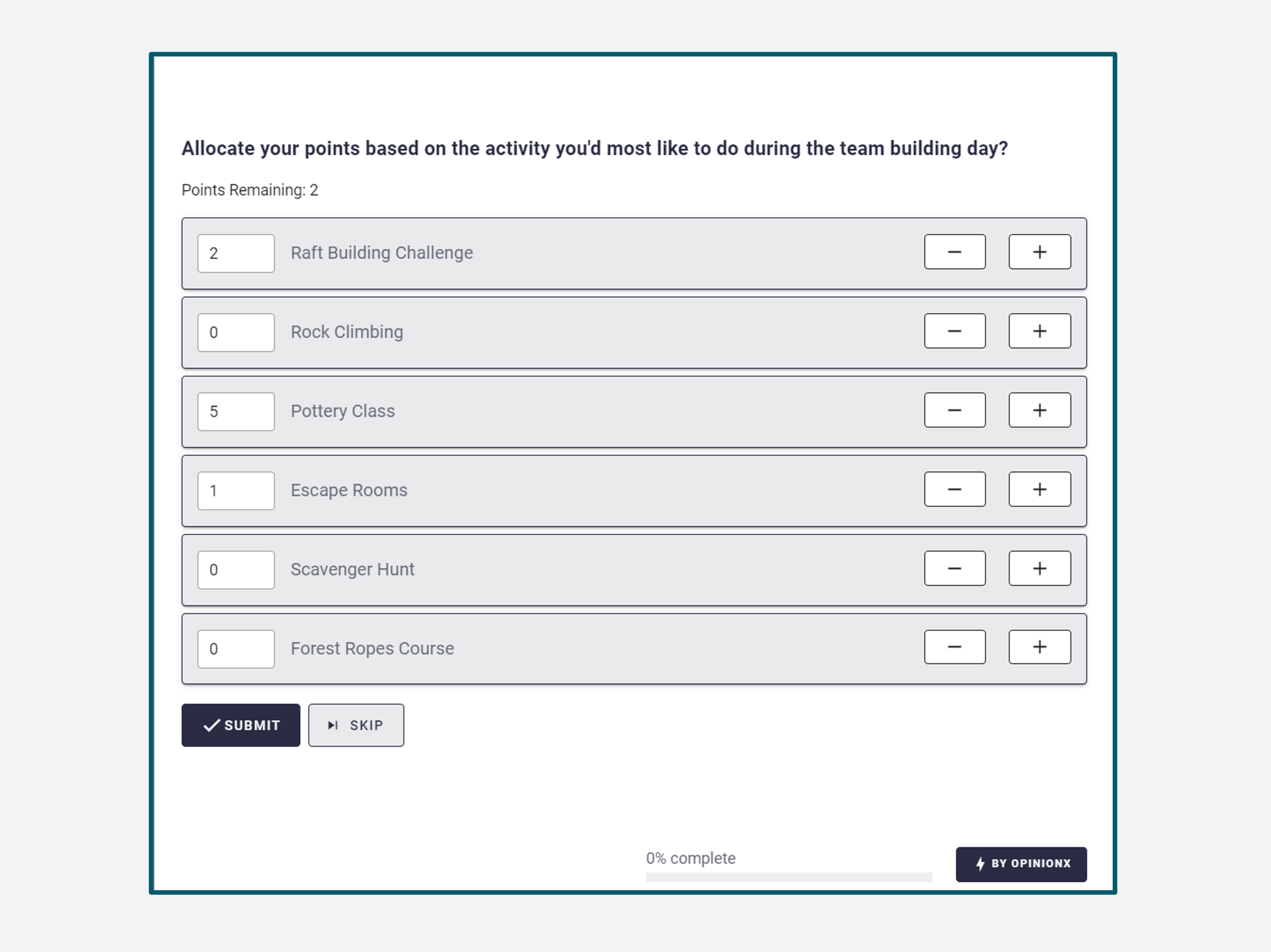
It's a strong way to rank options because people show how much they prefer something, not just the order they'd put things in. We don't only learn that Simon prefers apples to bananas, we see he'd put 9 of his 10 points on apples.
What's an example of Constant Sum in a real research project?
This method shaped an early Google Docs decision, back when it was still in beta.
The team was working with pilot users before public launch, collecting feedback on what needed improving most. The product was still rough, and informal interviews and testing threw up a huge spread of requested features, so the team couldn't tell where to focus. Then they ran one experiment.
A product manager asked beta users, "If you had $100 to spend on improving Google Docs, how would you spend it amongst this list of problems?". The answer was blunt: beta testers put 89% of all points on document formatting.

^ Google Docs, October 2006 (lacking a lot of formatting…)
In follow-up interviews, testers explained the formatting pain: a minor text change could wreck a whole document's format, costing hours to fix. Bad enough that people rage quit Docs over it.
The lesson about user research: asking people to name problems is unreliable, because it depends on what they recall in that exact moment, and people are poor at that. A tally of feature requests just counts what got mentioned. Points allocation measured how much each problem actually hurt beta testers, and pointed straight at the one to fix first.
When is Constant Sum the right question to use in a survey?
Pairwise Comparison, where people vote on a series of head-to-head pairs, captures implicit preferences: it shows what matters to someone without asking them to say so directly. Constant Sum does the opposite. It asks people to state what matters, and by how much.
Implicit formats like Pairwise work well when the subconscious is doing the deciding, like ranking possible names for a new idea, where it's hard to weigh everything rationally at once. Explicit formats like Constant Sum suit conscious trade-offs, like ranking which features in a paid subscription plan give you the most value.
What research questions could I answer with Constant Sum?
Three examples that suit the format:
1. Customer preferences
Like the Google Docs example, this shows how strongly people prefer things. If you're choosing between options, say which features push freemium users to upgrade to a paid subscription, it's often a sharper ranking method than a straight comparison.

2. Value association
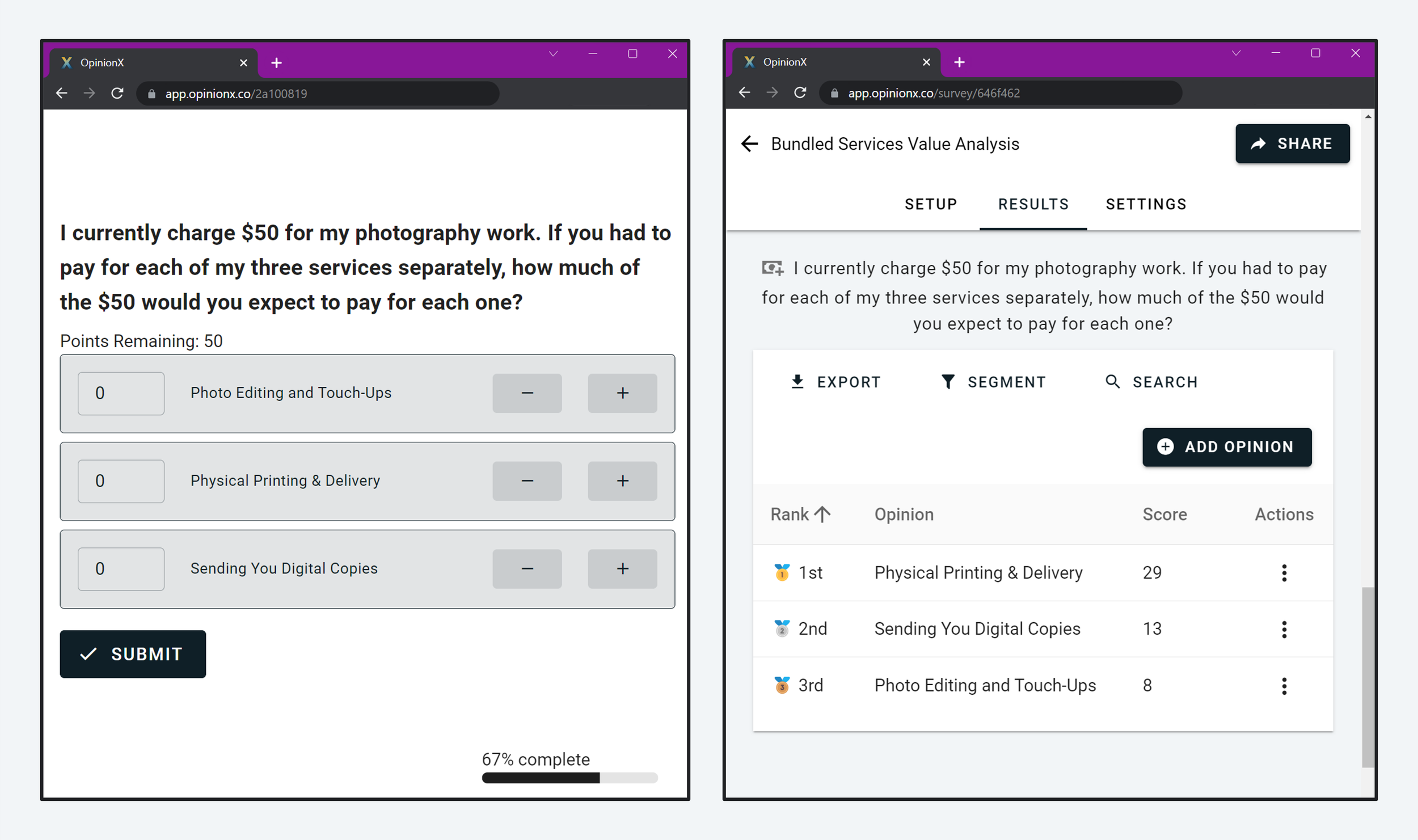
Say you run a business that bundles several services into one. You're a graduation photographer charging $50 to edit the photos, mail physical prints, and share digital copies. You want to split these into separate products and raise prices, but you don't know which ones customers value most today. Give people $50 in points to divide by how much they'd expect to pay for each on its own, and you'll see where the value sits.
3. Time breakdowns
In 2015, Casey Neistat made a YouTube video called Fat and Lazy where he broke his average day into 24 one-hour slots to show viewers what he spends his time on.

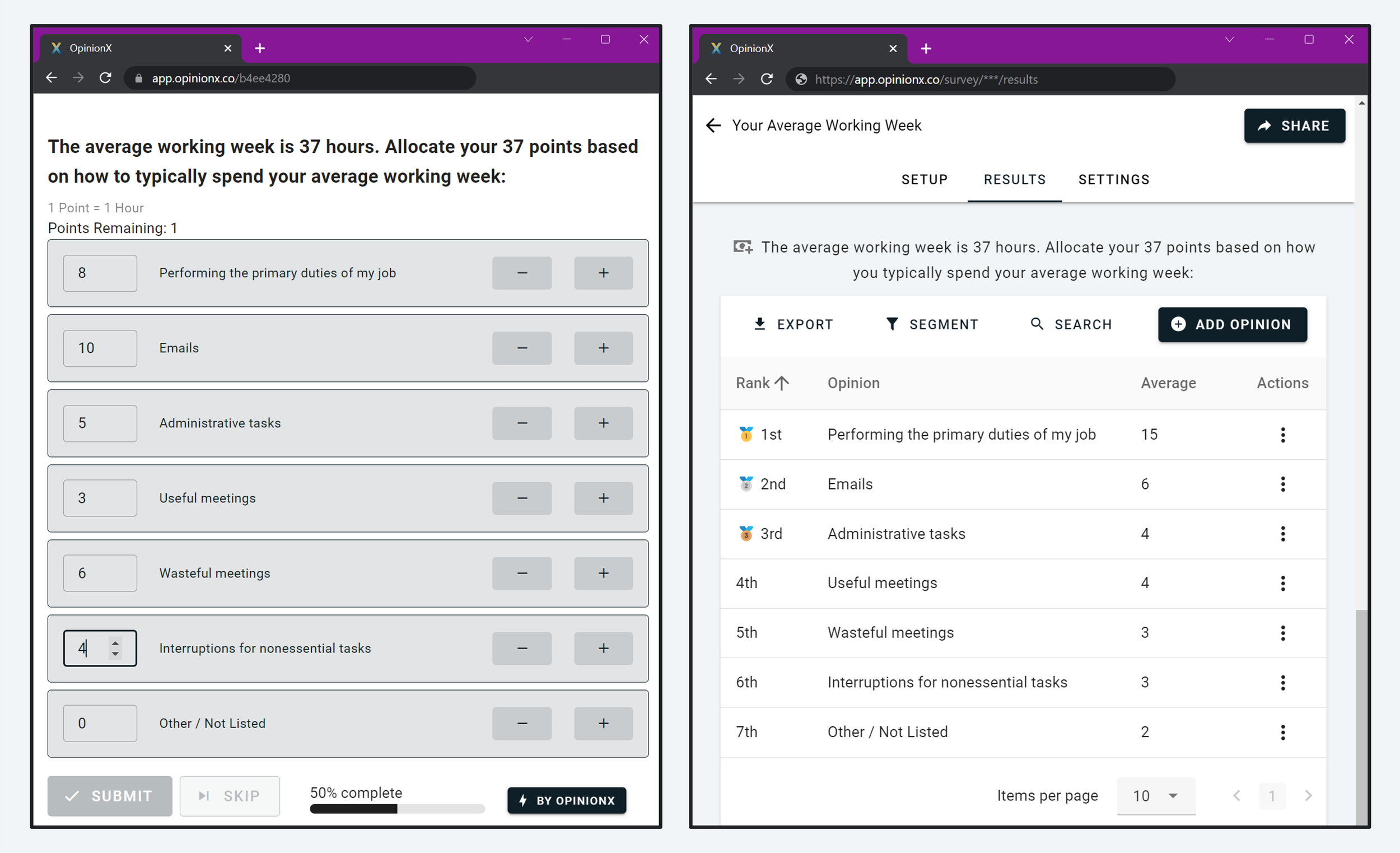
You can run the same exercise with participants using a points-allocation question. The average American office worker puts in 37 hours a week, so give each person 37 points and ask them to map where those hours go.
Which survey platforms offer a Constant Sum question type?
Almost none of the big survey tools have this question type: Google Forms, Microsoft Forms, Typeform, SurveyMonkey, Slido, SurveyKing and Jotform all skip it. Here's how the three free tools that do have it compare:
| Tool | Constant Sum support | Free-tier limit |
|---|---|---|
| OpinionX | Yes, "Points Rank" (fully customisable) | 25 participants per survey |
| Mentimeter | Yes, "100 Points" (fixed at 100, in bundles of 10) | 50 participants per month |
| Polly (Slack, Teams, Zoom) | Yes, up to 10 options, 100 points max | 25 responses per month |
| Google Forms, Microsoft Forms, Typeform, SurveyMonkey, Slido, Jotform | No Constant Sum question type | N/A |
Alternative 1: OpinionX
Every screenshot in this post comes from OpinionX, a platform built for ranking research, used by thousands of teams at companies like Google, Amazon and Shopify. All its ranking formats, including "Points Rank", are on the free version.
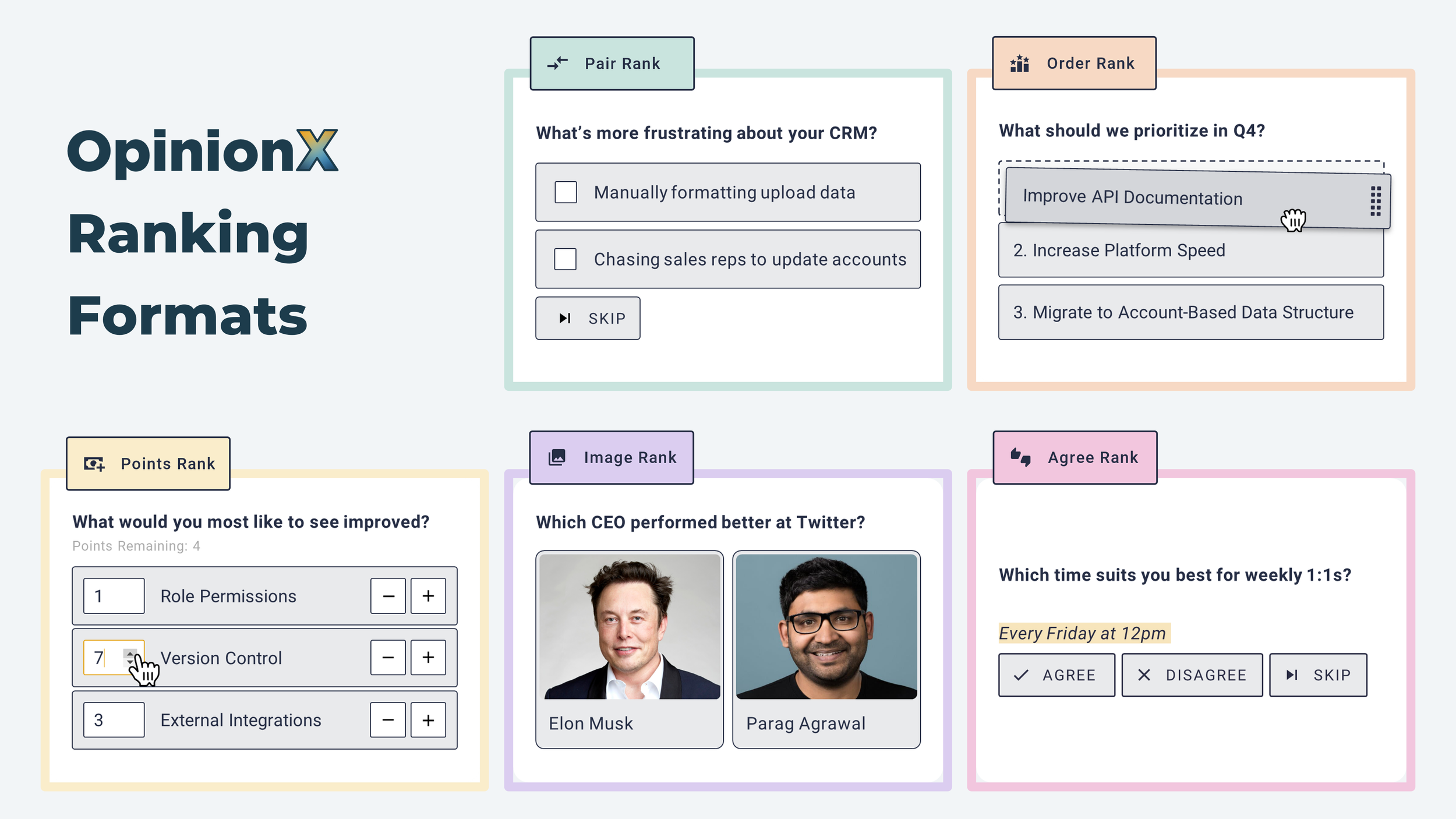
↖ Constant Sum is called “Points Rank” on OpinionX
Free version: unlimited surveys, questions and ranking options, every question type included, up to 25 participants per survey (no monthly or annual cap, just per survey).
Because it's built for ranking, OpinionX has proper tools for analysing ranked data. The segmentation feature, for one, recalculates your results to show how different subgroups voted against the overall picture.
Premium: the Analyze plan costs $900 a year. It lifts the participant limit and adds team, security and setup options like survey branching, forced response, and a minimum or maximum number of votes per participant. For advanced security and team folders, the Accelerate plan is priced in conversation. See the full OpinionX pricing breakdown for details.
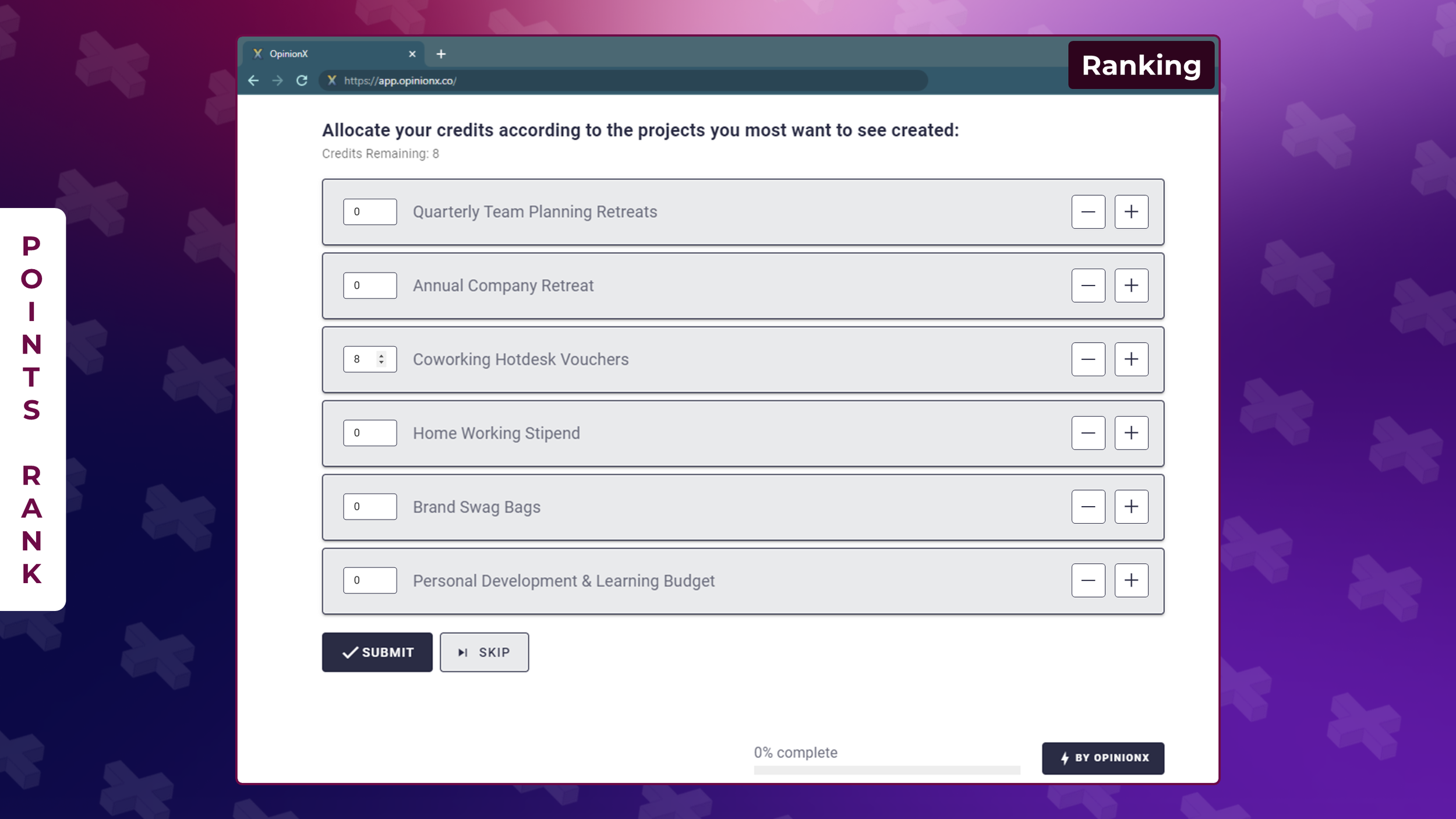
👆 Screenshot from a Constant Sum “Points Rank” question on OpinionX 👆
Alternative 2. Mentimeter
Mentimeter is a classroom audience-engagement tool with a points-allocation format called "100 Points". It hands out 100 points in fixed bundles of 10, and you can't change either number. The free version caps you at 50 participants a month across all your presentations, and premium is billed yearly only.

Alternative 3. Polly
Polly runs polls inside Slack, Microsoft Teams and Zoom. It offers Constant Sum too, capped at 10 options and 100 points per participant. The free version allows 25 responses a month across all your polls and surveys.

Frequently asked questions
Can you create a Constant Sum question in Google Forms? No. Google Forms has no Constant Sum (points allocation) question type, and neither do Microsoft Forms, Typeform, SurveyMonkey, Slido or Jotform. To run one, you need a tool that supports it, like OpinionX, Mentimeter or Polly.
What is a Constant Sum survey question? Points Allocation, also called Constant Sum, asks participants to divide a fixed budget of points across a set of options based on their preferences. Unlike simple ranking, it captures the magnitude of preference, so you learn not just that someone prefers an option, but by how much.
When should you use points allocation instead of another ranking format? Use it for explicit, rational trade-offs, like deciding which features drive the most value in a paid plan, where people can consciously weigh the options. For implicit or subconscious preferences (like choosing between names), a format like Pairwise Comparison works better.
What's a free tool for Constant Sum surveys? OpinionX offers Constant Sum as its "Points Rank" format on the free tier (25 participants per survey). Mentimeter's free plan includes a fixed "100 Points" version, and Polly supports it inside Slack, Teams and Zoom on its free plan.
Create a free Constant Sum survey
You can have your first survey live in under 5 minutes on OpinionX. No time limit on the free version, and no credit card needed. Create a Constant Sum survey on OpinionX.