
IMAGE RANKING
Find out which image wins, and by how much
When everyone has their favourites, an Image Ranking survey lets you combine everyone’s opinions and produce an objective ranked list that shows you the consensus option to proceed with.
No credit card required
Trusted by scaling startups, research agencies, and large enterprises alike


What is an image ranking survey?
An image ranking survey asks participants to compare a set of pictures and put them in order of preference. The winner comes out as a number you can point to, not whoever argued hardest for it. OpinionX’s ranking and voting methods all support images, each with its own caption and ability to view in fullscreen.
Use it when...
The choice is visual and a written description won't do it justice: competing logo directions, ad variants, packaging mockups, homepage heroes, app icons.
Best for...
A brand team settling a creative argument with customer data instead of seniority, a marketer choosing the thumbnail to ship, a product team putting UI directions in front of real users.
Alternative methods...
Rating Scale to score a single image on its own. Matrix Grid to rate agreement with statements about an image. For text options, any ranking method works the same way.
How image ranking works on OpinionX
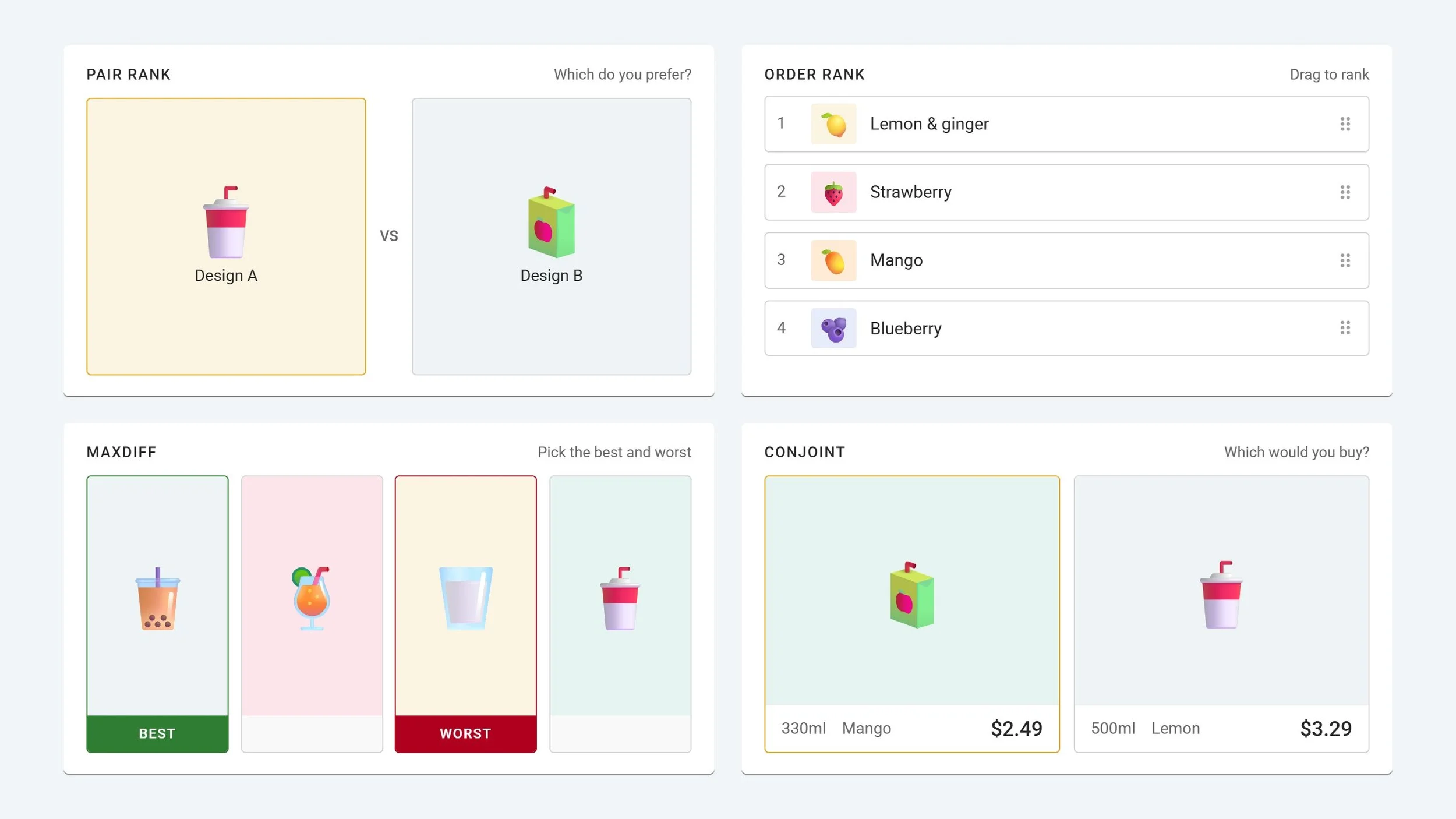
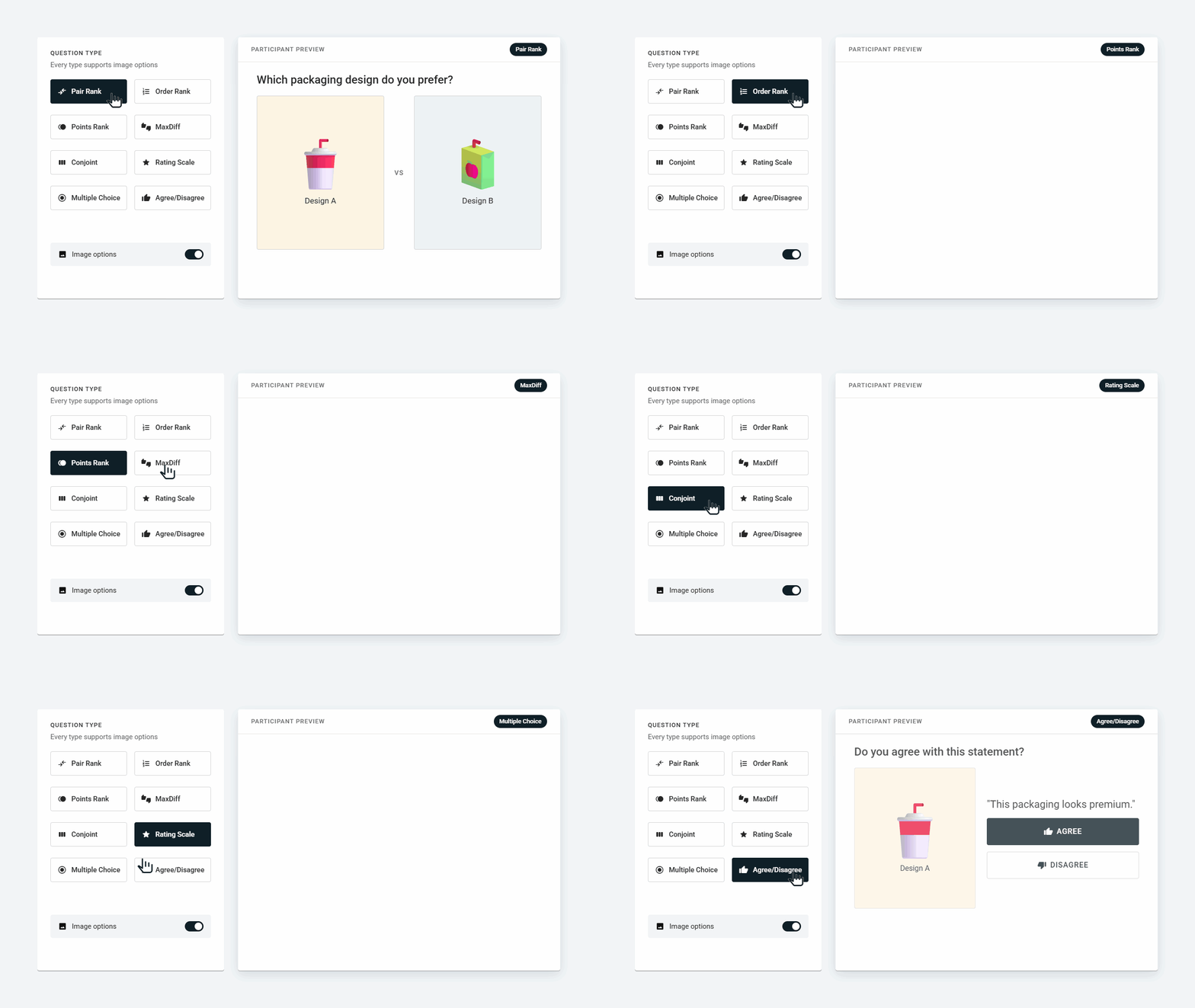
Add images to any question type
OpinionX offers a range of voting methods, from Pair Rank’s simple head-to-head voting or Order Rank’s drag-and-drop list to more advanced methods like MaxDiff and Conjoint Analysis.
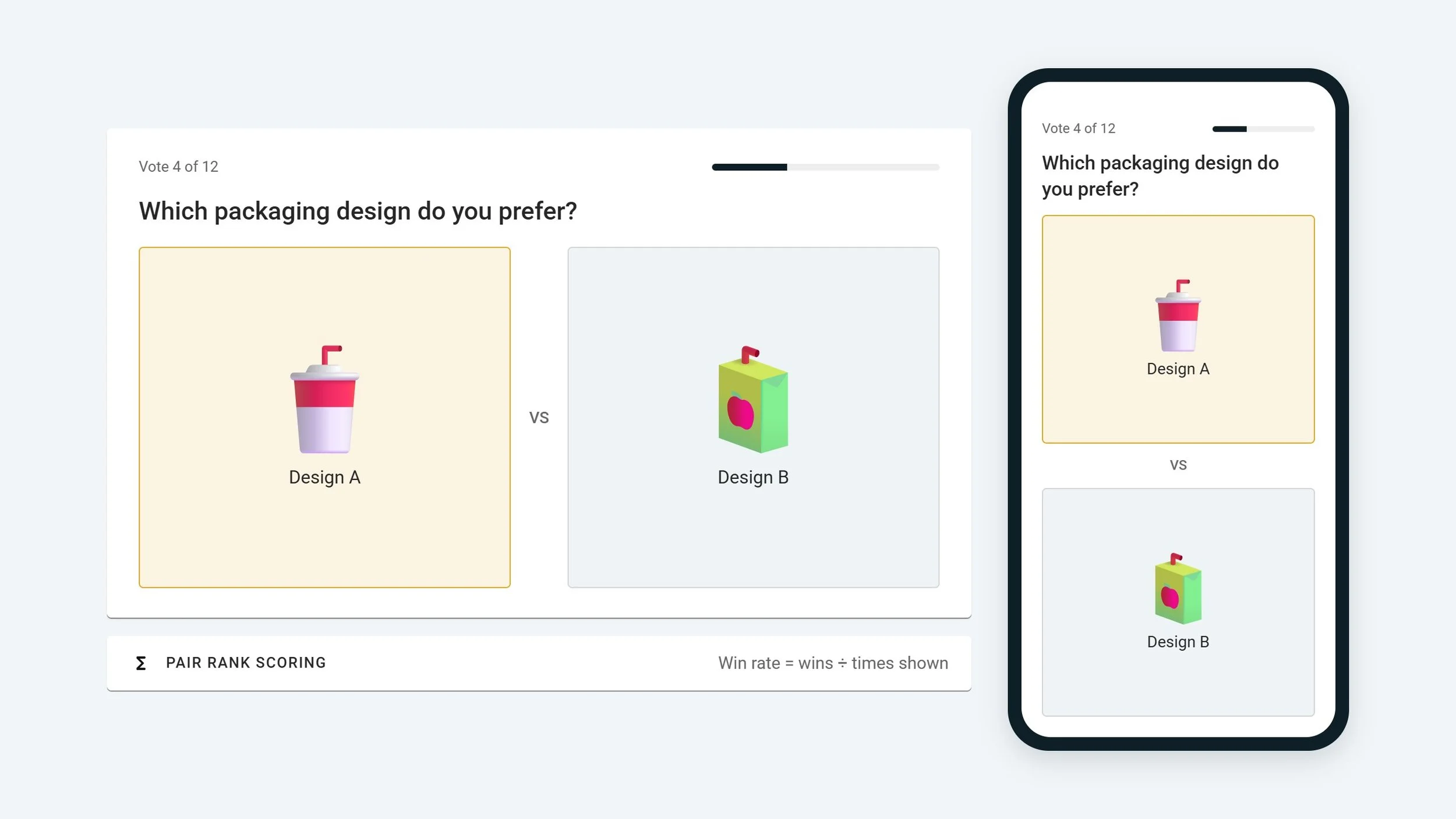
Scored by the method you chose
Whichever voting method you choose, OpinionX uses a special voting interface and scoring model to match. Participants get an optimal experience, whether desktop or mobile.
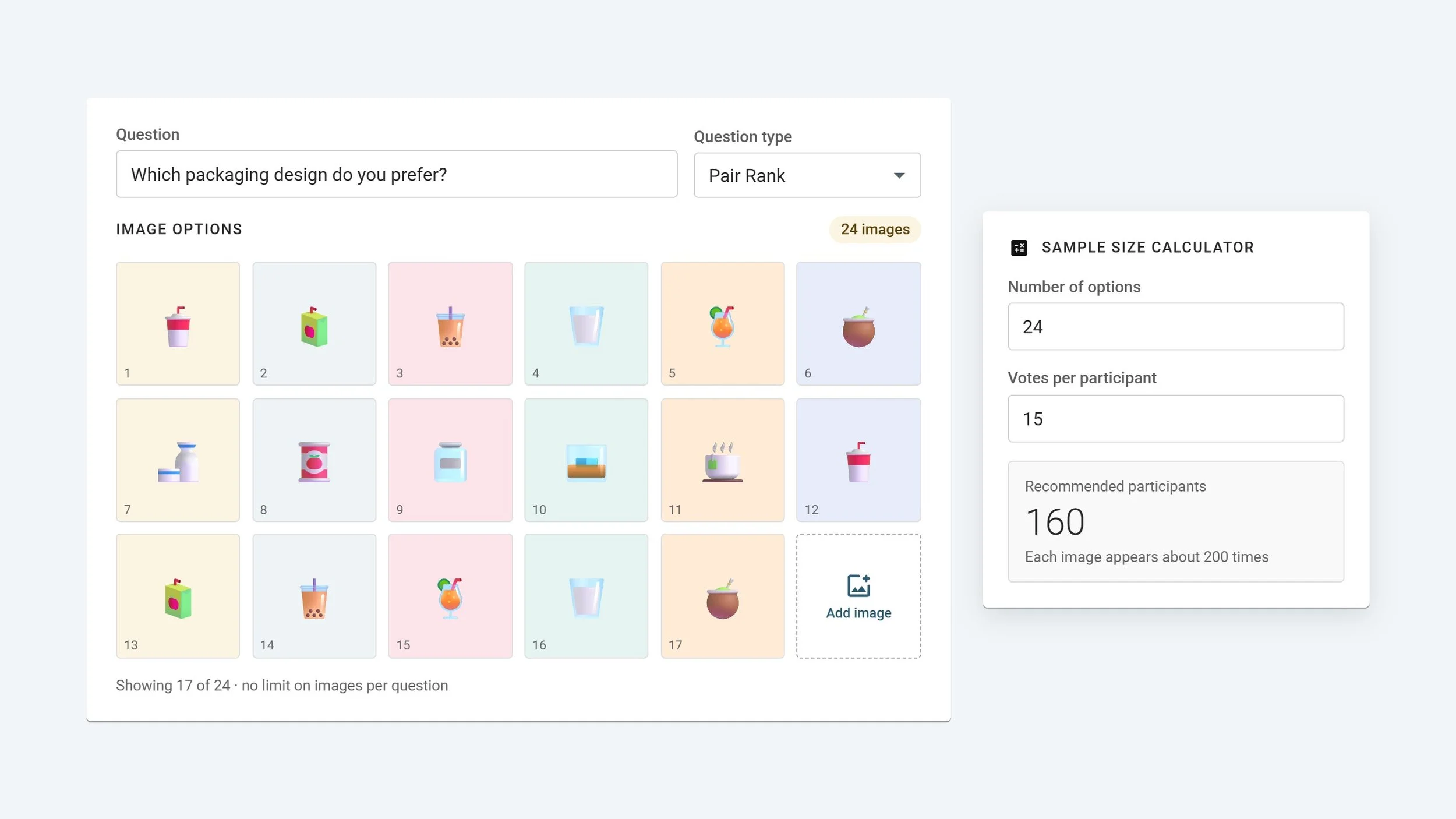
No limit on the number of images
Add as many images per question as you like, and many different questions per survey. Voting methods include a sample size calculator to help you confidently fill the right number of participants.
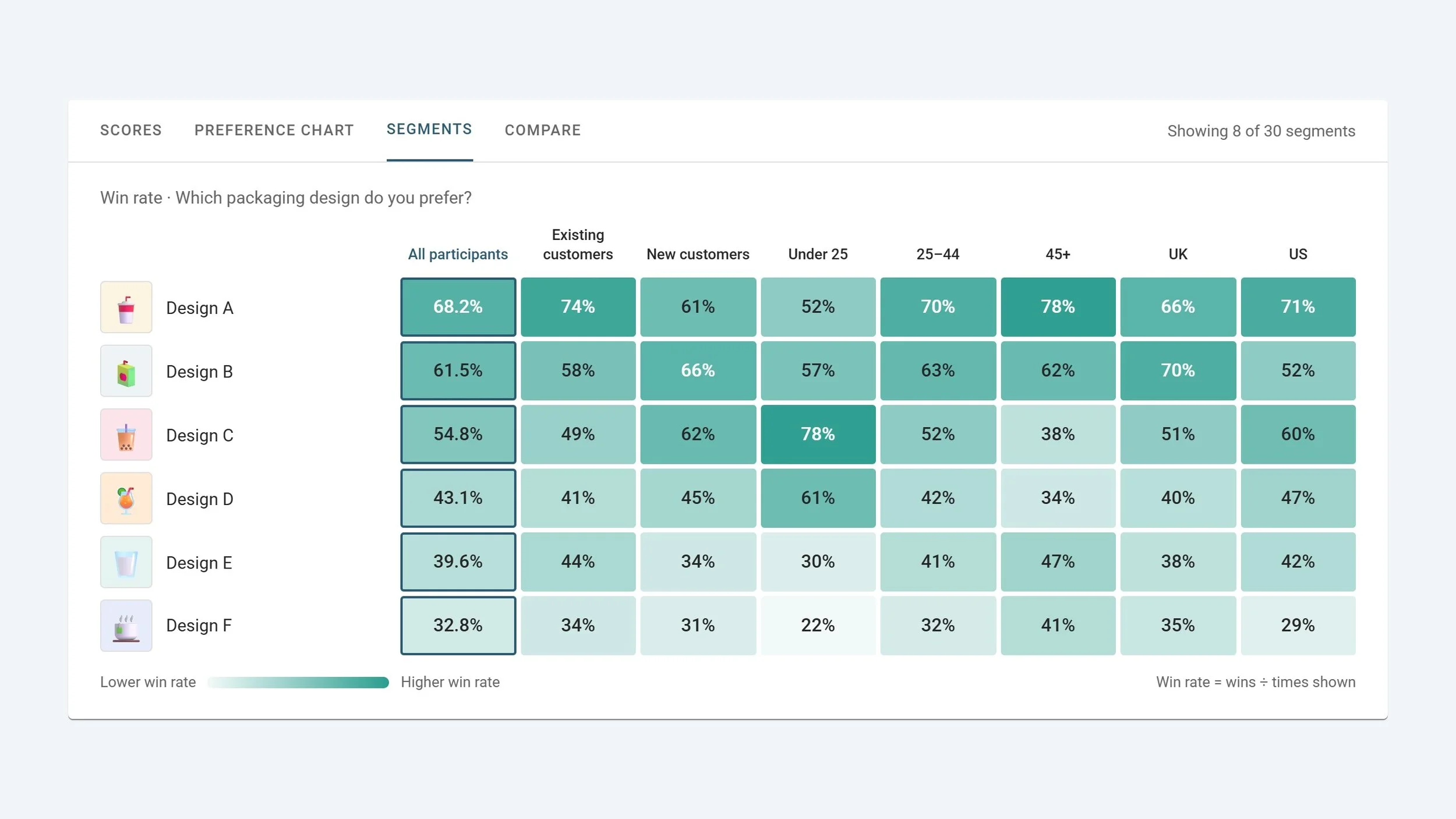
Filter by group to identify differences in opinion
Filter your results with one click, view two groups side by side, or create a giant table of up to 30 segments to quickly see the how different types of people voted.
Try an image ranking survey
Vote on the demo survey below and view the interactive results afterwards
All the Image Rank results you need, generated automatically from your survey data
Whichever method you picked, its charts come with the visual charts and segmentation reports every OpinionX survey carries. Special advanced methods, like Conjoint Analysis and Van Westendorp, include extra charts.

Survey Scores
Every image ranked by its score, thumbnail alongside, with the votes or points behind it. Exports at participant level.

Preference Chart
The same ranking as a bar chart, so a clear winner and a photo finish look different at a glance.

Compare Tab
Put two segments side by side down the same images and see whether new and returning customers pick the same design.

Segments Tab
Scores for every image in every segment, one heatmap crosstab, so an audience that picks differently shows up early.
Got a list of designs and no agreement?
Image Ranking is available on every plan
✓ 25 participants per survey
✓ Unlimited surveys
✓ Unlimited researcher seats
✓ Full analysis & exports
✓ Unlimited participants per survey
✓ Unlimited researcher seats
✓ Advanced analysis & data enrichment
✓ Custom exports
✓ SAML SSO & MFA
✓ Private team folders
✓ White-labelling
✓ Procurement & prepaid experts
Creating a ranking survey in under 60 seconds
Image Rank FAQs
-
The same way text options are, by the method you chose. In Pair Rank each image scores its win rate across the pairs it appeared in, 0 to 100. In Order Rank each position converts to 100 divided by rank. In Points Rank it's the share of all points allocated. Each voting method has an accompanying guide explaining how it works, which you’ll find linked from the survey setup page.
-
No cap on the images themselves; what limits you is how much work you're asking of each participant. Past about 10 images, use Pair Rank or MaxDiff so nobody has to drag a wall of thumbnails, and keep total pair votes across the survey under roughly 40 unless you're paying people for their time.
-
Yes. Tapping any image in a Pair Rank or Points Rank vote opens it full screen, so a logo or a dense UI mockup gets a proper look before the choice. The hero image above the question can hold the brief or the current design for comparison.
Settle the design debate with data
Choose a ranking method, import your images, and get an objective score to decide by consensus.