
RANKED CHOICE VOTING SURVEYS
Drag-and-drop ranking surveys with understandable automated scores
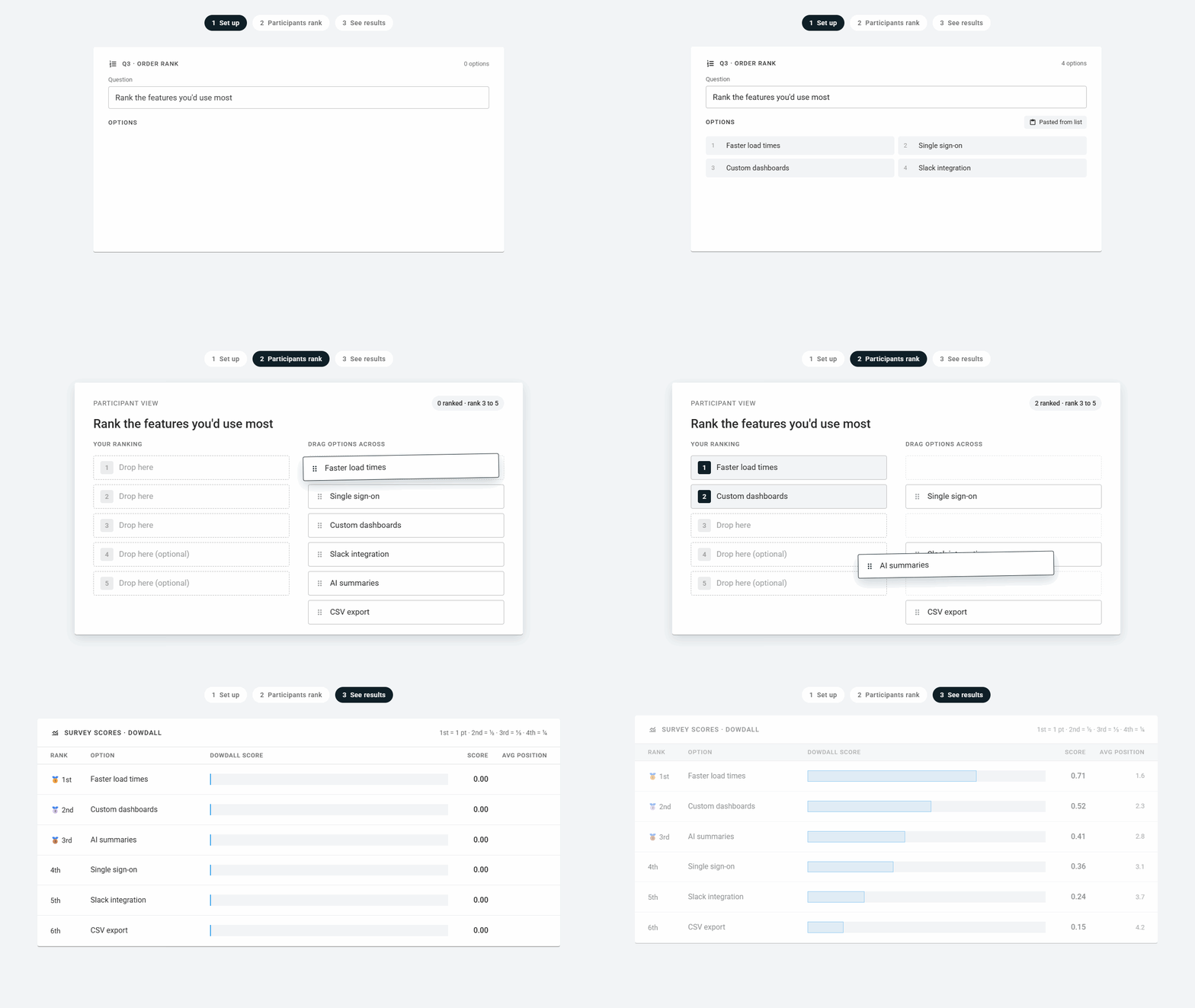
Order Rank surveys ask participants to drag a list of options into order and automatically convert their votes into a ranked list you can visualise, filter, and segment to understand people’s true preferences.
No credit card required
Trusted by scaling startups, research agencies, and large enterprises alike


What is a rank order survey question?
A rank order question asks participants to arrange a list of options from most to least preferred, usually by dragging them into position. Unlike a rating scale question that lets people rate every option 7/10, a forced order poll means the relative importance of each option always shines through.
Use it when...
The list is short, up to 10 options, and people know it well enough to place every item. Think a feature shortlist, a set of message variants, or the agenda for a team offsite.
Best for...
A fast, familiar format people recognise on sight. A PM narrowing the quarter's candidates, a marketer ordering value props, a facilitator pulling priorities out of a workshop.
Alternative methods...
Once the list passes 10, dragging gets tedious and completion drops, so reach for pairwise comparison or MaxDiff once the list passes 10 options. If the size of the gap matters more than the order, Points Rank.
How Order Rank works on OpinionX
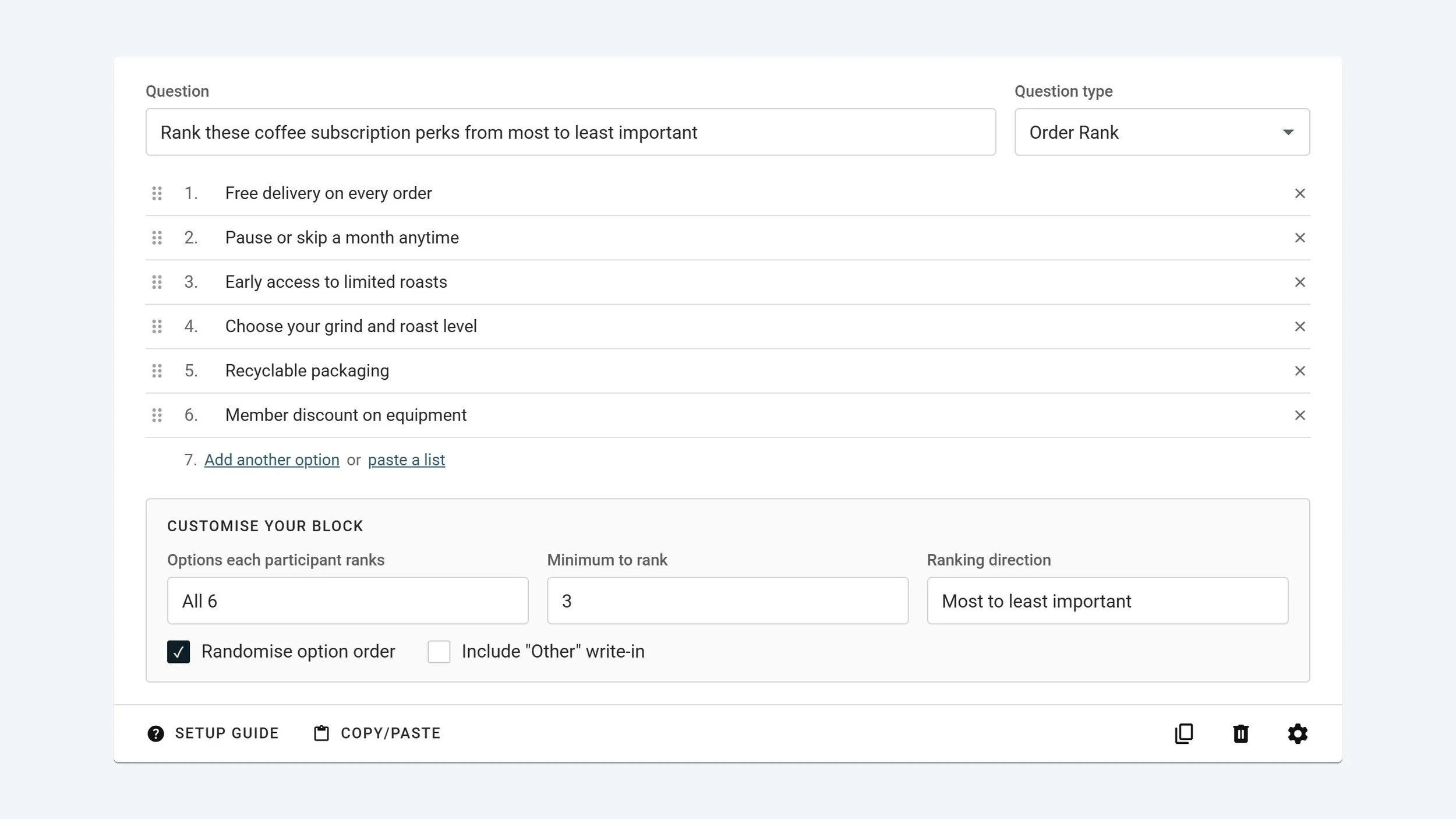
Quick and easy survey setup
Copy and paste your list of options into OpinionX for instant setup. Choose from a range of customisations to ensure everything matches your requirements.
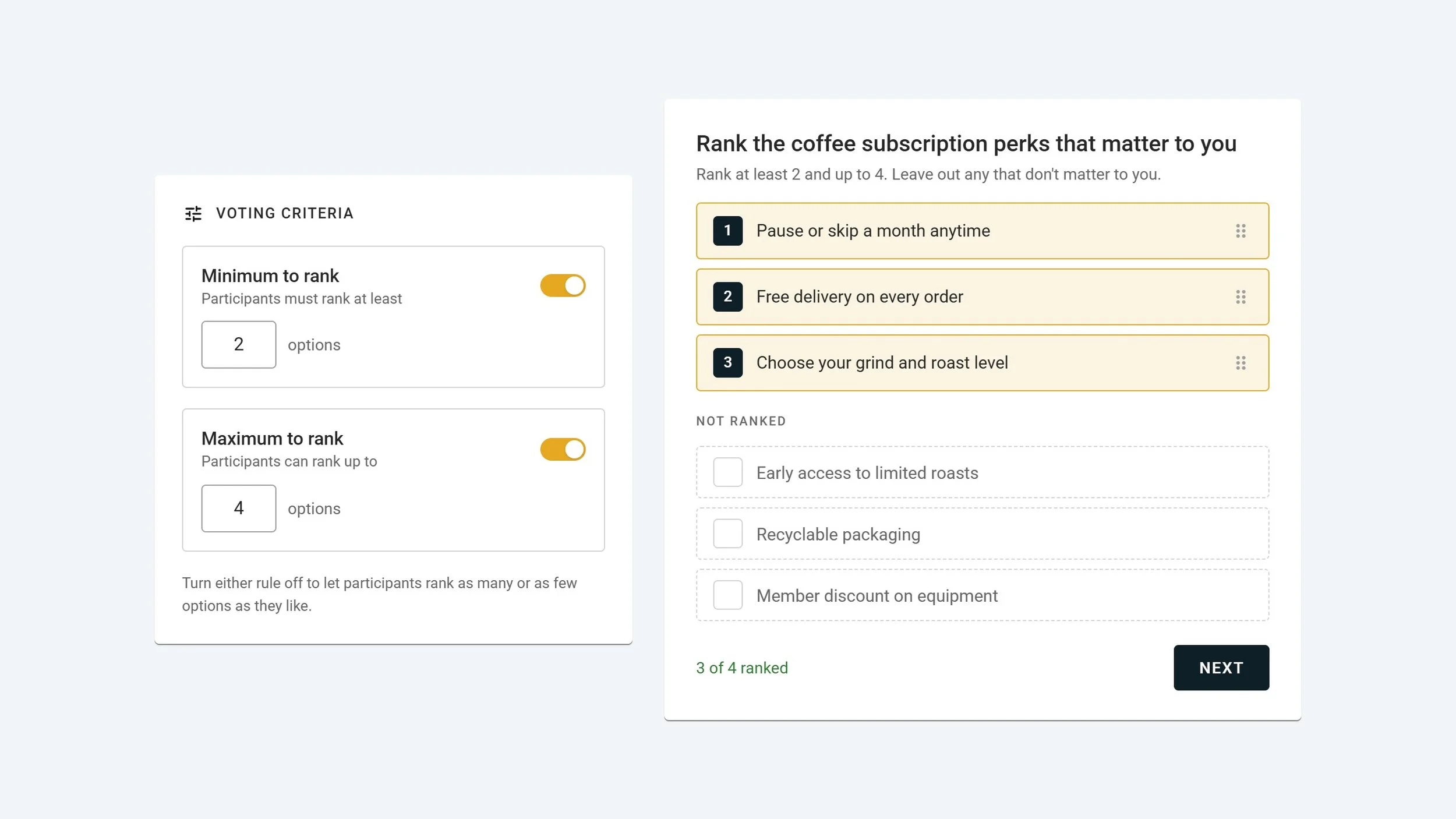
Customise your voting criteria
Rigid ranking tools typically force participants rank every option, including the ones they don't care about. OpinionX gives you flexibility to set a minimum, a maximum, both or neither, so you can let participants flexibly exclude irrelevant options.
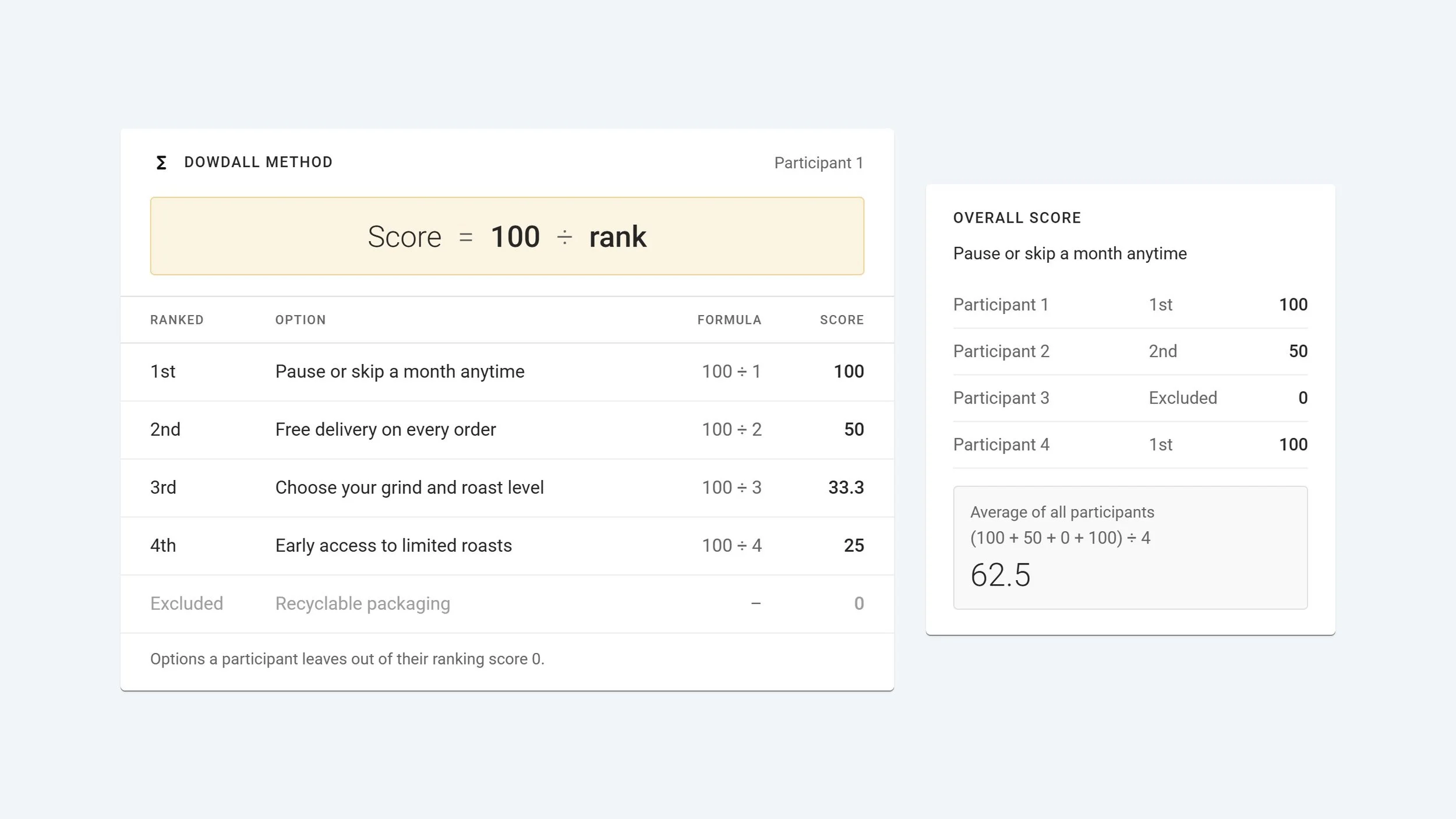
Scoring you can confidently stand behind
Order Rank surveys on OpinionX use a special scoring model called the Dowdall method, which is used for ranked choice voting elections around the world. It spreads scores with preference for top ranked options and easily handles exclusions.
Filter by group to identify differences in opinion
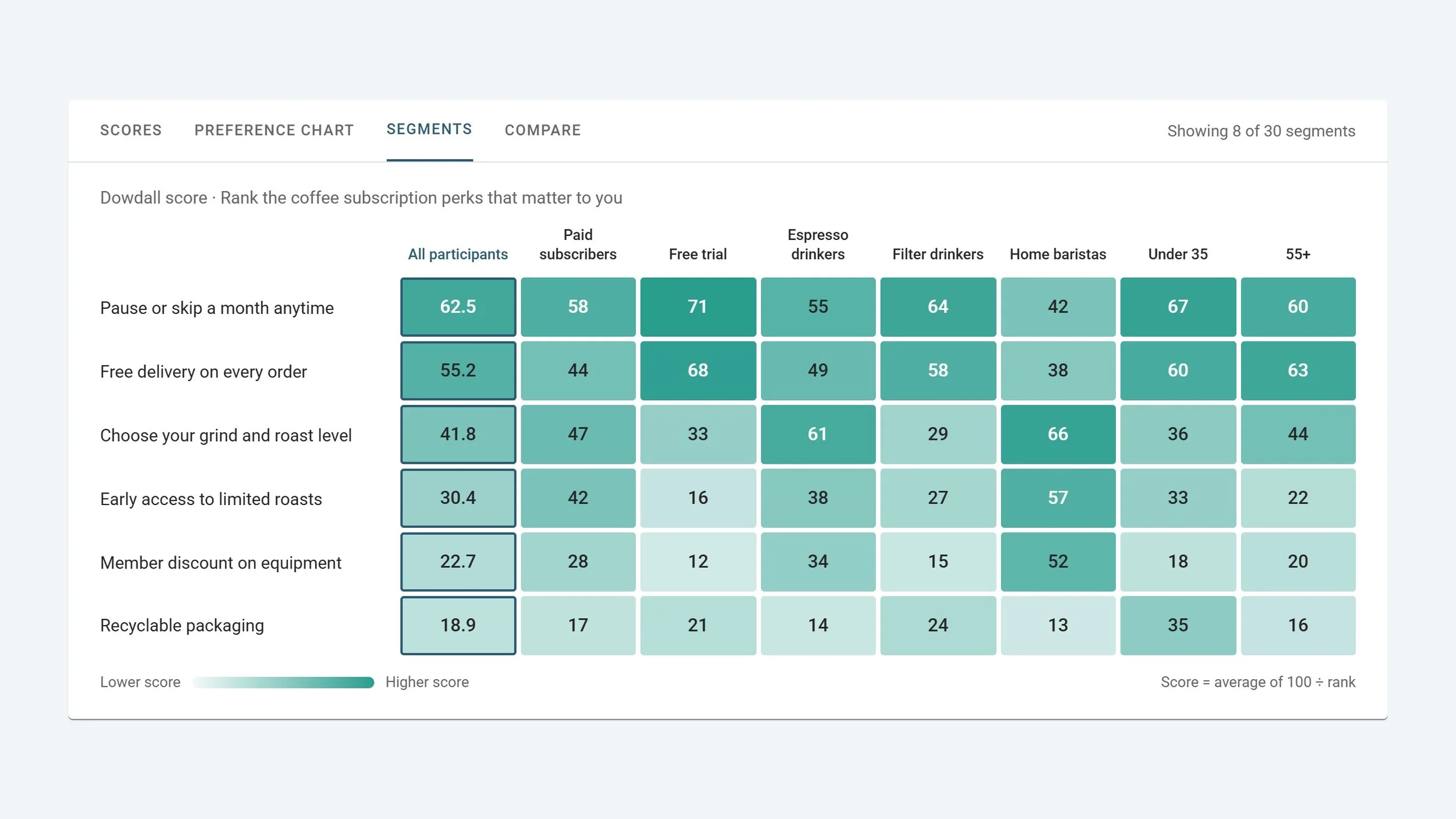
Filter your results with one click, view two groups side by side, or create a giant table of up to 30 segments to quickly see the how different types of people voted.
Test a real Order Rank survey
Vote on the sample survey below and view the interactive results dashboard at the end
All the results charts you need, generated automatically from your survey data
OpinionX turns everyone’s votes into an interactive results dashboard in real time, together with all the report types you need to answer your most important research questions.

Survey Scores
Every option ranked by its Dowdall score, with the average position behind each one. Exports at participant level.

Preference Chart
The same ranking as a bar chart, which tells you at a glance whether first place won by a landslide or by a nose.

Compare Tab
Put two segments in side-by-side columns down the same list and watch where, say, sales and engineering pull in opposite directions.

Segments Tab
Dowdall scores for every option in every segment, one heatmap crosstab, so the odd group out stops hiding in the average.
Need your shortlist ranked in order pronto?
Order Ranking is available on every plan
✓ 25 participants per survey
✓ Unlimited surveys
✓ Unlimited researcher seats
✓ Full analysis & exports
✓ Unlimited participants per survey
✓ Unlimited researcher seats
✓ Advanced analysis & data enrichment
✓ Custom exports
✓ SAML SSO & MFA
✓ Private team folders
✓ White-labelling
✓ Procurement & prepaid experts
Watch: Creating a ranking survey in under 60 seconds
Everything you need to know about rank order questions
Order Rank FAQ
-
OpinionX uses the Dowdall method, a Borda count variant. A first choice scores 100, second 50, third 33.3, and so on down the list as 100 divided by rank. Anything left unranked scores zero, and an option's survey score is the average across everyone who answered.
-
No hard limit, but ten is the practical ceiling. Past that people stop reading and just start dragging, and completion falls off. For a longer list, either cap the ranks so people place only their top few, or move to pairwise comparison or MaxDiff.
-
Yes, two ways. Turn on "Other" and each participant writes in an item and ranks it alongside yours. Or collect open-text answers earlier in the survey and approve them into the list mid-run, so later participants rank what earlier ones suggested.
Get that list in order and your decision made
Your participants drag and drop, you get a ranked and scored list of results. Simple!